
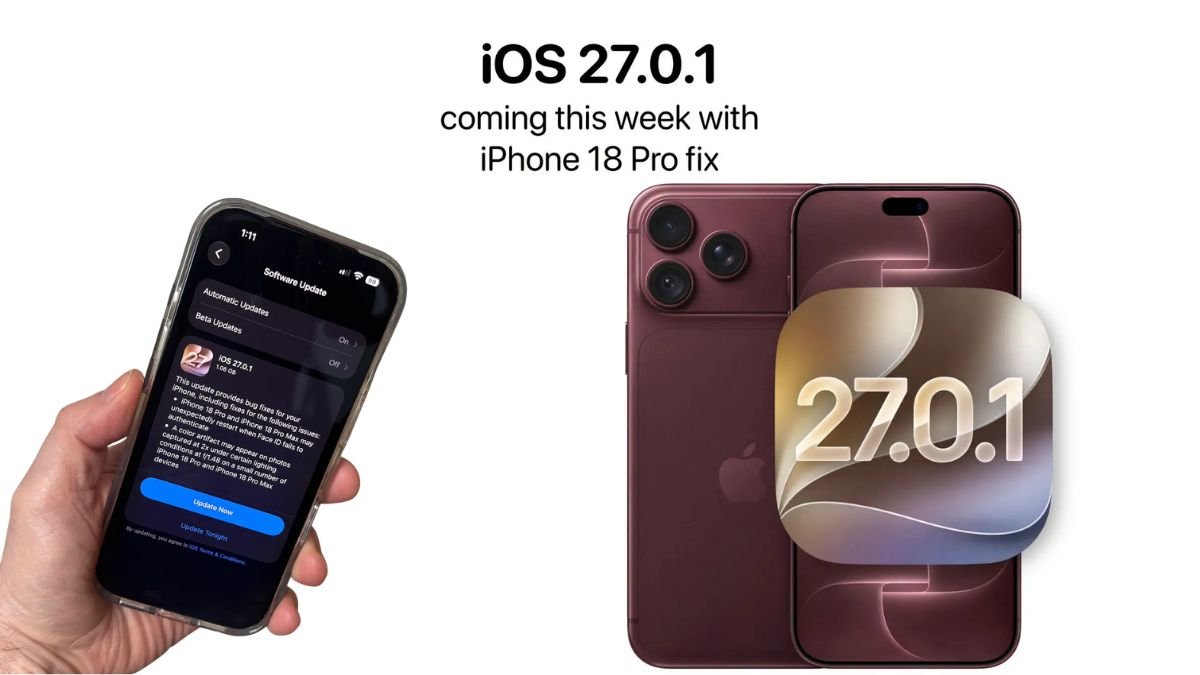
Just weeks after the launch of the highly anticipated iPhone 18 Pro and iPhone 18 Pro Max, Apple has rolled out its first incremental software update: iOS 27.0.1. If you’ve been experiencing unexpected reboots, camera glitches, or touchscreen issues on your new flagship device, this update brings much-needed relief.
Here is everything you need to know about the latest iOS 27.0.1 update, the specific bugs it squashes, and how to install it on your iPhone.
What’s New in iOS 27.0.1?
While major iOS releases introduce exciting new features, point updates like iOS 27.0.1 are designed for under-the-hood improvements and urgent bug fixes. According to Apple’s official release notes, this update specifically targets three frustrating issues that early iPhone 18 Pro adopters have been reporting over the past few days.
Apple has released iOS 27.0.1 to fix multiple bugs affecting the iPhone 18 Pro and Pro Max. The update addresses Face ID failures, unexpected restarts, camera colour problems and an unresponsive touchscreen. Here is everything users need to know about the latest update.#iOS2701…
— News9 (@News9Tweets) September 29, 2026
1. Face ID Rebooting Bug Addressed
Perhaps the most alarming issue reported by new iPhone 18 Pro users was a severe Face ID bug. When Face ID failed to authenticate a user—such as when unlocking apps or trying to open the device from the lock screen—the phone would unexpectedly freeze and restart entirely. iOS 27.0.1 permanently patches this vulnerability, ensuring a stable biometric authentication process.
2. Camera Artifacts on Variable Aperture Lens Fixed
The iPhone 18 Pro series introduced a groundbreaking variable aperture lens (allowing users to switch between ƒ/1.48, ƒ/1.8, ƒ/2.8, and ƒ/4.0). However, a software glitch caused strange color artifacts to appear on photos captured at 2x zoom under specific lighting conditions at ƒ/1.48. The new update calibrates the image processing software to eliminate these visual anomalies, letting the 48-megapixel camera shine.
Also Read: Massive iOS 27 Bug Crashes iPhone 18 Pro: How to Fix the UI Freeze Glitch
3. Unresponsive Touchscreen Glitch Resolved
A smaller number of users reported an annoying UI glitch where swiping to open the Notification Center and Control Center simultaneously would cause the touchscreen to lock up and become completely unresponsive. Apple has smoothed out this interface conflict, ensuring standard swipe gestures work as intended.
Does iOS 27.0.1 Fix the Green Line Display Issue?
While early reports also highlighted some iPhone 18 Pro units suffering from a “green or pink line” display hardware issue, Apple’s release notes for iOS 27.0.1 do not explicitly mention a fix for this. If you are experiencing persistent display lines, it may be a hardware defect that requires a visit to an Apple Store or an authorized service provider.
How to Download and Install iOS 27.0.1
Even if you aren’t currently experiencing these specific bugs, it is highly recommended to update your device to ensure optimal performance and security.
To update your iPhone:
- Connect your device to a stable Wi-Fi network and ensure it has at least 50% battery (or plug it into a charger).
- Open the Settings app.
- Tap on General.
- Select Software Update.
- Tap Download and Install when iOS 27.0.1 appears.
While this update is heavily focused on the iPhone 18 Pro and Pro Max, older devices compatible with iOS 27 may also receive minor under-the-hood security improvements, making it a worthwhile download for all users.