
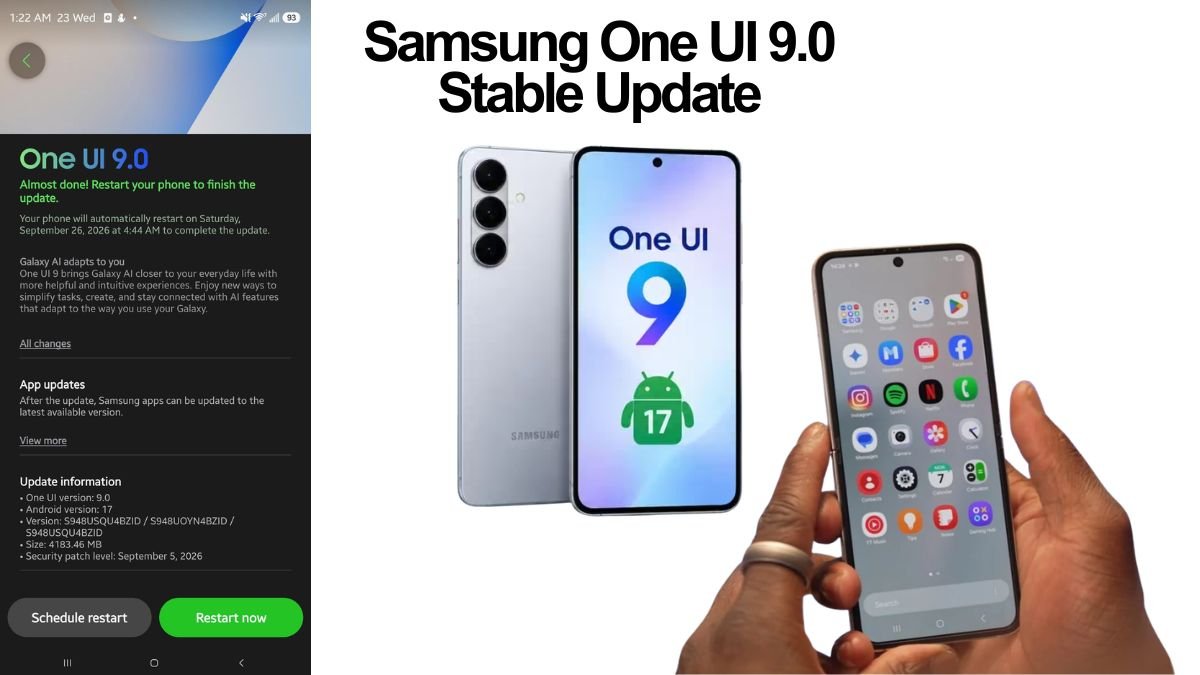
Samsung has officially begun the global rollout of its highly anticipated stable One UI 9.0 update, based on Android 17. The tech giant kicked off the initial release in South Korea on September 16, 2026, for the Galaxy S26 series. The deployment has now rapidly expanded to international markets, including the United States, Europe, and India.
Whether you are rocking the latest Galaxy S26 Ultra or eagerly waiting for the update on your Galaxy Z Fold 7, here is everything you need to know about the One UI 9.0 stable rollout.
Which Devices Are Getting the One UI 9.0 Update First?
While the rollout commenced with the flagship Galaxy S26, S26+, and S26 Ultra, Samsung is wasting no time expanding it to its other premium devices. As of late September 2026, the stable One UI 9.0 update has also started hitting the following devices:
- Galaxy S25 Series (Galaxy S25, S25+, and S25 Ultra)
- Galaxy S25 FE and S25 Edge
- Galaxy Z Fold 7 and Z Flip 7
- Galaxy Z TriFold
Currently, the rollout for these additional 2025 flagship models is primarily appearing in South Korea, but broader global availability is expected to follow progressively in the coming weeks.
Also Read: Apple Releases iOS 27.0.1 to Fix iPhone 18 Pro Face ID and Camera Bugs
What’s New in One UI 9.0?
Built on top of Android 17, One UI 9.0 promises a smoother, more intuitive, and highly personalized user experience. Here are some of the key highlights of the new update:
- Enhanced Galaxy AI: The update brings richer, more personal, and context-aware AI capabilities, helping users complete everyday tasks in fewer steps.
- Smarter Tools: Users can expect significant improvements to core utilities like real-time translation, document scanning, and voice recording.
- Customization and Privacy: The latest firmware introduces expanded personalization options and tighter privacy controls, allowing you to tailor your Galaxy device exactly to your liking.
How to Download and Install One UI 9.0
If you own an eligible Galaxy smartphone, you might receive a notification once the update is available in your region. However, you can also check for it manually by following these simple steps:
- Open the Settings app on your Galaxy device.
- Scroll down and tap on Software update.
- Select Download and install.
If the update is available, follow the on-screen prompts to download and install the firmware. Note that the update size can be substantial (for instance, it is around 3.4GB for the Galaxy S25 Edge), so it is recommended to download it over a stable Wi-Fi connection and ensure your device is adequately charged. Samsung also advises backing up your personal data before initiating the upgrade.
Phased Rollout Continues
Since software updates are released in phases, availability can vary by country, model, and network carrier. If you do not see the update immediately, there is no need to worry—regional software teams are staging the distribution to ensure platform stability, and your device should receive it soon. Older flagship models are also slated to receive the Android 17-based One UI 9.0 update throughout October 2026.